Sounds like you, not a template
LittleDraft learns from the sent emails you choose and keeps a separate writing style for each account.

AI email assistant for Apple Mail
Give LittleDraft a few words. Get a complete email reply in your writing style, right inside Apple Mail.
20 free trial credits · No card required · macOS 15+
Replies on demand
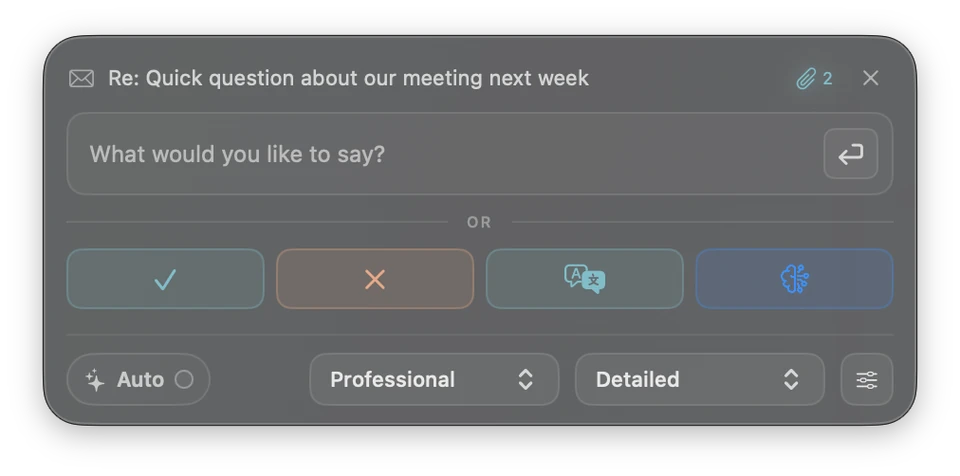
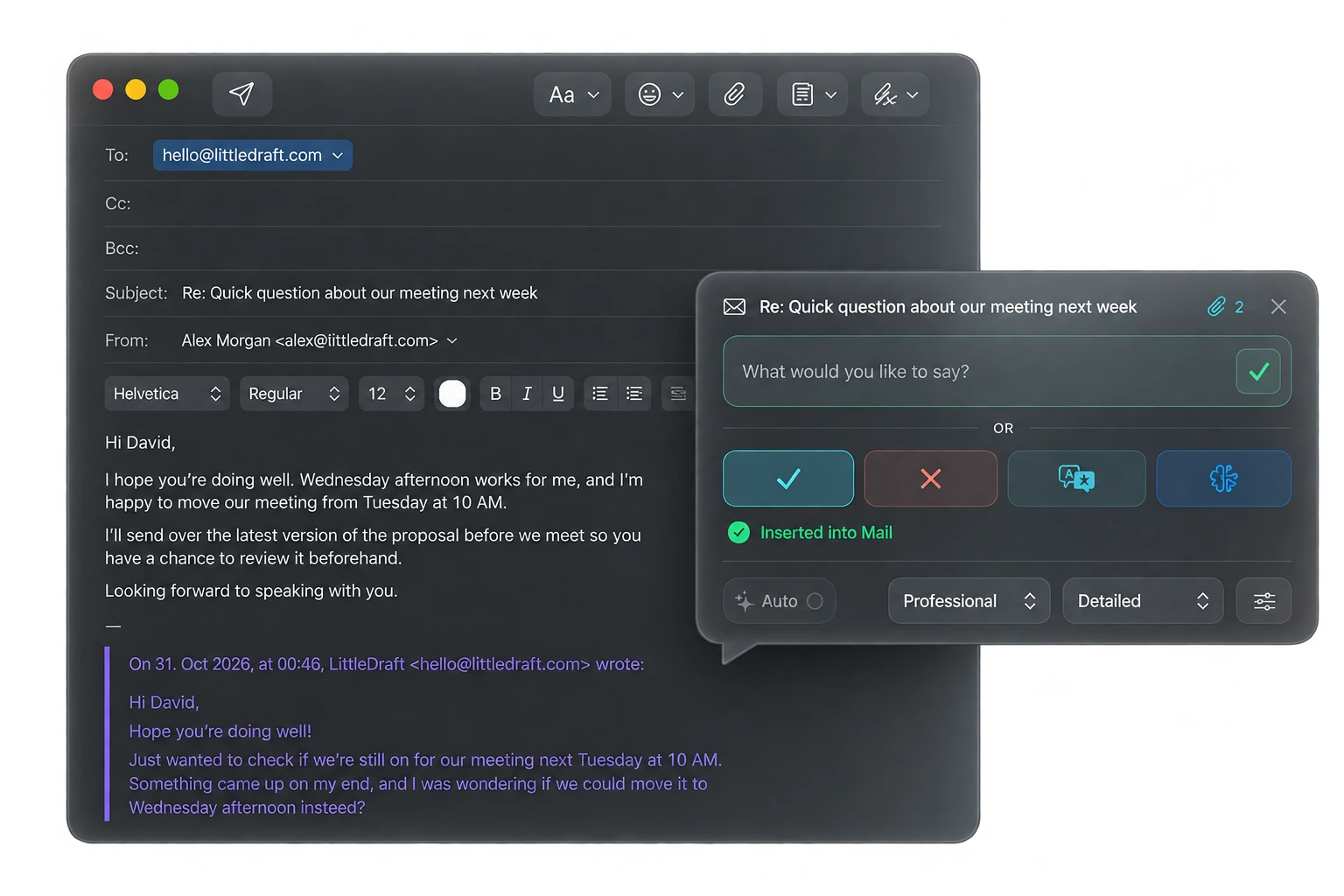
Accept, decline, ask for details, or type a short instruction. LittleDraft writes the rest.
Choose a message in Apple Mail.
Type a few words or choose a quick action.
LittleDraft prepares the reply. You stay in control.
Apple Intelligence is great for quick replies. LittleDraft is built for people who answer a lot of email and want every reply to sound like them.
LittleDraft learns from the sent emails you choose and keeps a separate writing style for each account.
Add your returns policy, pricing or FAQs to the Reference Library and LittleDraft uses them to write accurate replies.
In Pro Private Mode, replies use Apple's on-device model, work offline after activation while your license is valid, use no cloud credits, and never silently switch to the cloud.
Nothing is ever sent automatically; you choose when to use online research and review the results before sending.
Keep using Apple Mail. Just reply faster, in your own words.
Try it free (20 replies, no card needed)Check Private AI requirementsYour writing style
LittleDraft learns from the sent emails you choose and keeps a separate writing style for each account.
Explore writing style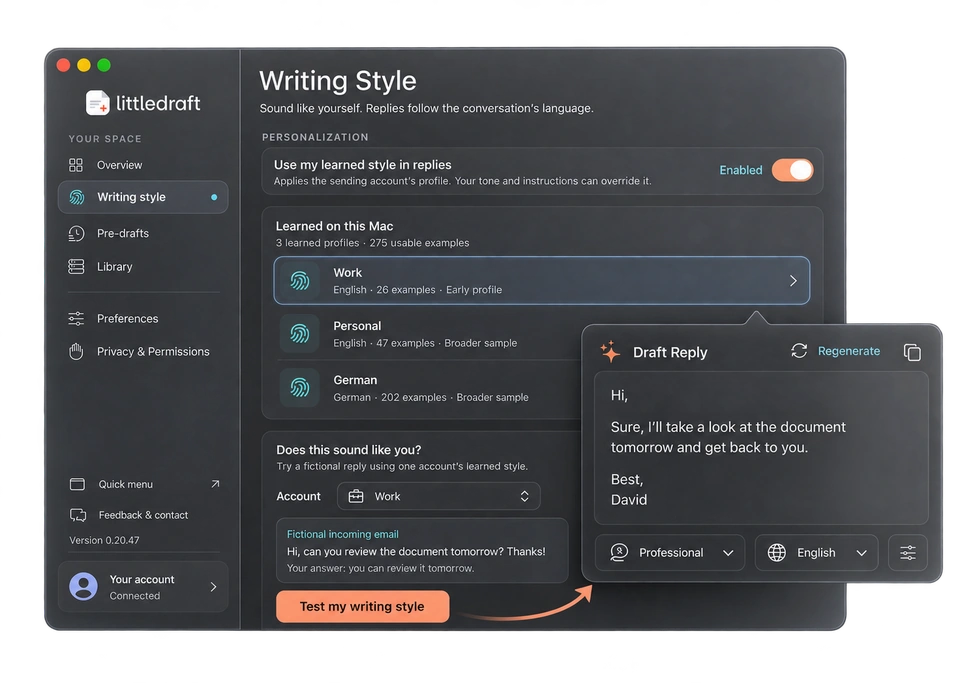
Private AI · Beta · Included with Pro
Your next great reply doesn’t need a cloud. Pro brings the on-device power of Apple Intelligence to your inbox, even when you’re offline.
Built on Apple’s Foundation Models framework, LittleDraft brings together the conversation, your instructions, and your writing style to help the local model write a useful reply that sounds like you.
Private AI is beta. Apple’s on-device model is still being tuned in LittleDraft. Replies can be shorter and less accurate than Cloud AI. Check every draft before sending. What’s new in 0.20.57
Explore ProApple Intelligence
LittleDraft
Your context. Your style. Your direction.
Private AI processing on your Mac
In Private Mode, your email and drafting context stay on your Mac for AI processing. No automatic switch to cloud AI.
Once set up, draft without Wi-Fi or cloud reply credits. Your on-device AI is ready wherever you work.
LittleDraft prepares the relevant context and your chosen style, giving Apple’s local model a focused brief for your reply.
Requires an Apple silicon Mac, macOS 26 or later, Apple Intelligence enabled, and its downloaded model. Private drafting currently supports English and German.
Activate Pro online first; monthly access must renew online each paid period. Sending email and account services need internet. Online research requires Cloud AI.
Context that helps
Capture information from another app or add reference documents. LittleDraft can use relevant details when drafting your answer.
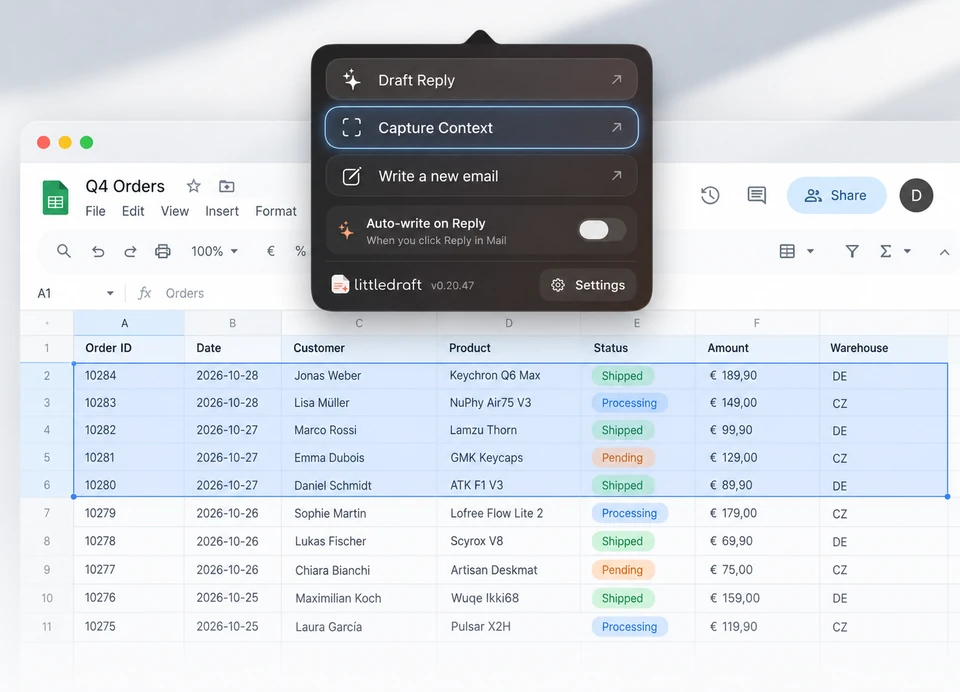
Bring information from spreadsheets, websites, and other apps into your reply.
“You can return it within 30 days. I’m happy to help you with the next step.”
↳ Returns policy · exampleUse your guides, policies, and documents to answer with the right information.
More ways to save time
Have reply suggestions ready for selected unread emails before you open them.
Let LittleDraft prepare a draft when you start a reply. Review it before sending.
Translate incoming emails and reply in the language of the conversation.
Look up information online and review sources before using them in a reply.
Pricing
Start with 20 free trial credits. Upgrade when you're ready.
AI included. No separate API key required.
Try it in your inbox
Free
One-time trial · No card
20 one-time trial credits
For everyday email
€9.90/ month
Billed monthly
500 reply credits + 10 research credits / billing period
For a fuller inbox More capacity
€24.90/ month
Billed monthly
2,000 reply credits + 50 research credits / billing period
Discuss a tailored setup for your team.
Choose paid plans in the app’s Account settings. Basic and Pro renew monthly until cancelled. Allowances reset each billing period and don’t roll over. Cancel in Account settings; access continues until the end of the paid period.
Prices in EUR; applicable tax and the final total are shown at checkout. No automatic overage charges. Trial credits don’t renew.
Compare all features & billing termsPrivacy & control
Writing-style learning and screen-text recognition happen on your Mac. Pro Private Mode also drafts locally. When you choose Cloud AI, the email and permitted context are sent for AI processing. You decide when to send the reply.
Privacy & permissionsGood to know
No. LittleDraft works alongside Apple Mail on macOS 15 or later.
No. LittleDraft prepares replies for you to review and send from Apple Mail.
Apple Intelligence offers built-in Smart Replies, including personalized replies on supported systems. LittleDraft writes full replies in your personal style for each account, uses your own reference documents, and can research online when you request it. With Pro Private Mode, supported replies run privately on your Mac using Apple's on-device model, without ever silently switching to the cloud.
Yes. You can choose which sent emails it learns from and keep separate writing styles for different accounts.
No. AI usage is included with your LittleDraft plan.
20 one-time trial credits. No payment card or automatic charge.
Ready when you are
Try LittleDraft for free, right inside Apple Mail.
Download for Mac20 trial credits · No card required