
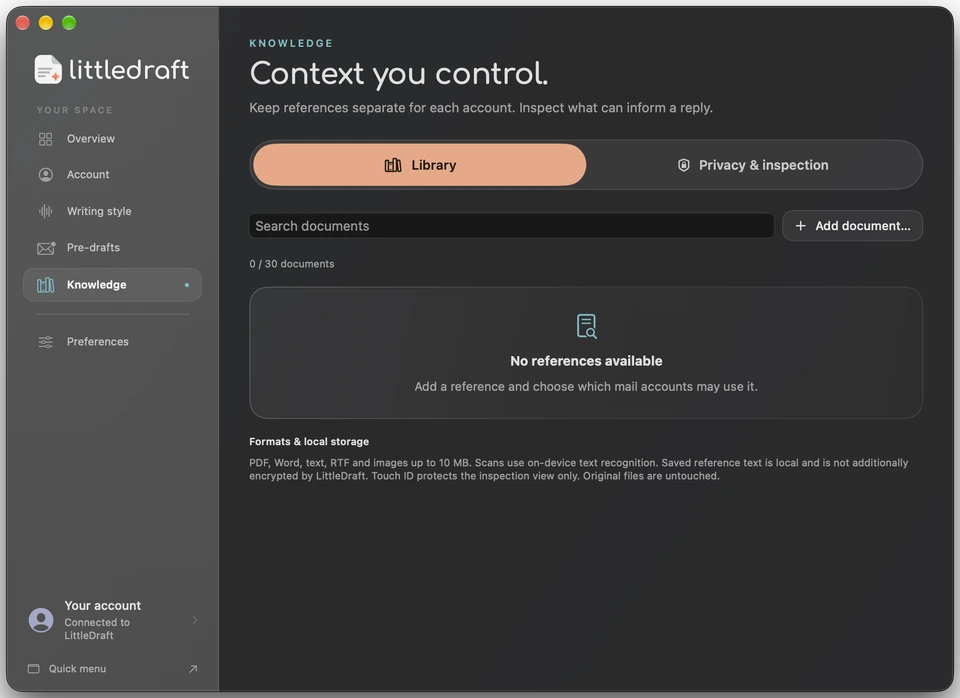
Build a Library for everyday questions.
Import PDF, Word DOCX, RTF, text, Markdown, PNG, JPEG, or HEIC files. LittleDraft extracts the text, which you can inspect, edit, and remove.
Keep up to 30 Library items with Basic or the free trial, or up to 300 Library items with Pro; importing and on-device text recognition use no reply credits.
Choose the context for each reply.
Assign documents to particular Mail accounts or make them available across accounts. Select references for a reply yourself, or enable automatic matching of relevant excerpts.
Check the suggested answer against the source before sending, especially when details such as dates or specifications matter.
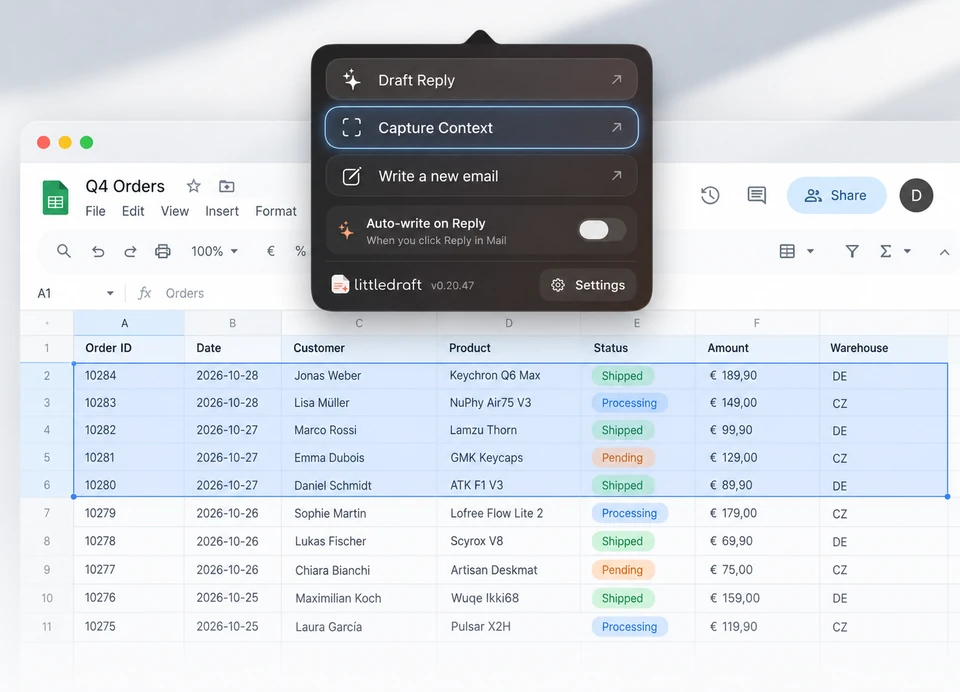
Capture a detail from another app.
With Pro, Capture Context can capture the display under your pointer and save its recognized text to your Library. It can then support relevant replies, such as adding saved tracking details.
Text recognition runs on your Mac and screenshot images aren’t retained. Screen Recording permission is required; check the visible display before capturing.
Keep saved information manageable.
Search references, filter captures and documents, and manage their names and account assignments. Choose automatic deletion after 7, 30, or 90 days, or keep Library items until you remove them.
Reference retention is separate from your writing profiles.
Use context across your writing workflow.
The full editor can combine reference material with a new email or imported letter. Pair it with your learned writing style to guide both the information and the wording.
With Pro Pre-Drafts enabled, relevant authorized references can also inform automatic reply suggestions within your chosen settings.
Know what is shared for generation.
References are encrypted locally, with keys protected by macOS Keychain. Generating a reply sends selected or matched excerpts, the email, and permitted context through LittleDraft to OpenAI.
The protected knowledge view lets you inspect information available for replies; explore the data controls before choosing what to include.