
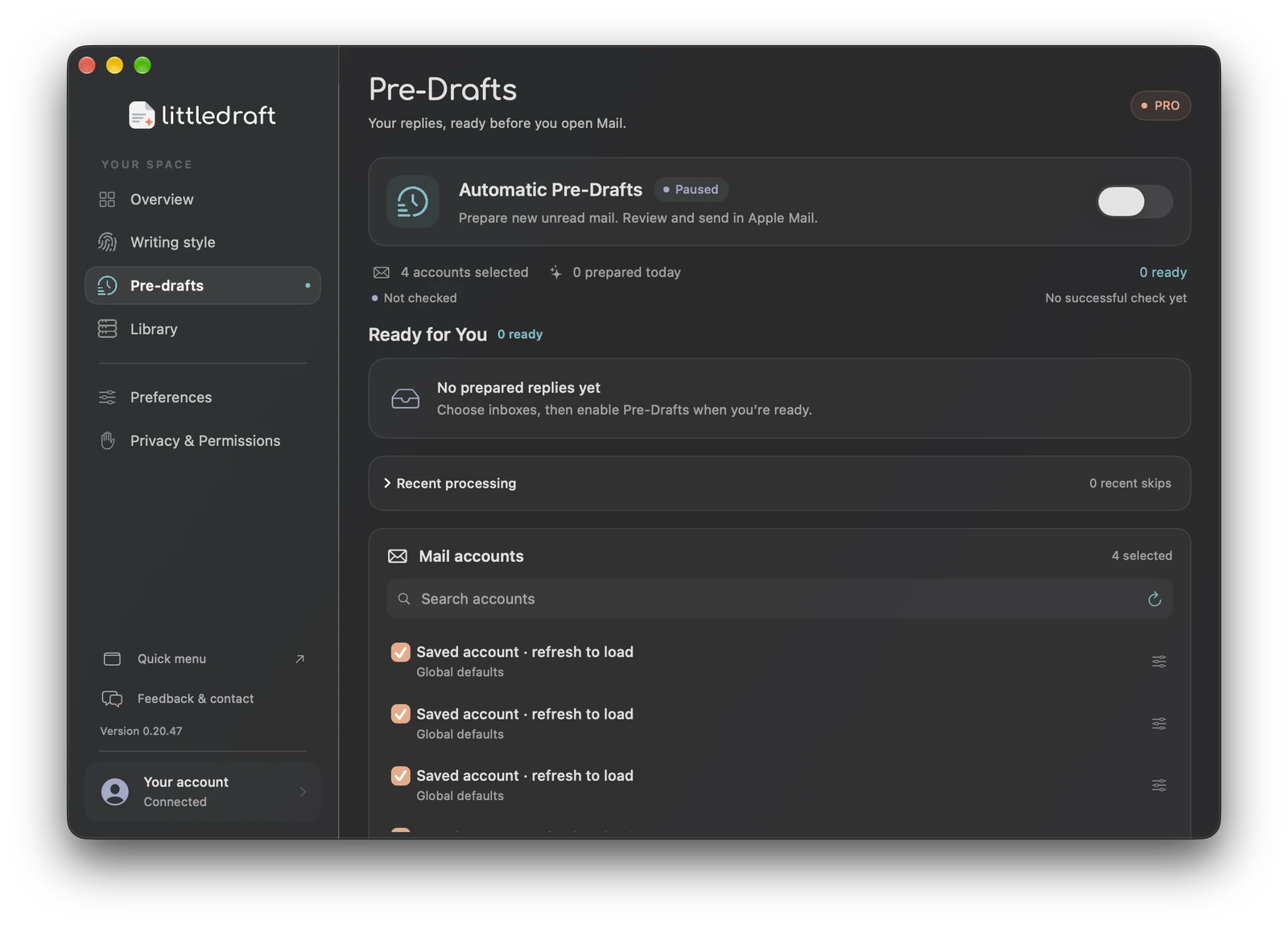
How Pre-Drafts work
Pro Pre-Drafts periodically check the inboxes you select while LittleDraft is running and Mail is available. They prepare replies for eligible new unread messages. They do not process every historical message, guarantee a reply for every unread email, or send or insert prepared replies without your action.
Set up the inboxes
- Open Pre-Drafts and choose “Unlock settings & choose inboxes” if required.
- Refresh Mail accounts and select the accounts you want included. The app supports up to five selected inbox accounts.
- Choose a daily successful-generation limit and review Automation settings.
- Choose a check interval, optional working hours, filtering, exclusions, and optional notifications.
- Review the processing disclosure for your current AI mode and enable Automatic Pre-Drafts.
Check intervals offered by the current app are 1, 3, or 5 minutes. Working hours use your local clock; the successful-generation day counter uses UTC. A daily limit is a control on successful preparation, not a promise that the app will reach that number.
Filter what deserves a reply
Smart filtering helps skip newsletters, receipts, automated senders, and messages that do not need a reply. Add exact email addresses or domains to exclusions when you do not want a source processed. Account options can customize learned-style use, a supported reply language, and signature preferences. Global defaults apply unless overridden.
Review and use a prepared reply
- Open Ready for You and choose the prepared item.
- Read the source email, proposed wording, and available context.
- Edit the draft or choose an alternative when one is available.
- Open or insert into the intended Mail reply through the offered action.
- Check recipients, current facts, and signature in Mail, then send yourself.
Prepared drafts are encrypted locally and are short-lived, generally retained for up to 24 hours. A changed conversation, account, or source can invalidate an item. Review again if the sender has replied since preparation.
A sensible starting configuration
Select one work inbox, start with five successful generations per day, turn on smart filtering, and set working hours to match your workday. Exclude automated billing and notification domains. Check Recent processing to understand which messages were skipped before broadening the setup.
For a customer asking “Has my order shipped?”, a tentative reply should use current evidence or ask for missing details. It should not invent dispatch or payment status.
Cloud and private operation
Cloud Pre-Drafts can send eligible messages, writing hints, and authorized reference excerpts for AI processing and use your Pro cloud allowance. In activated Private Mode, preparation runs on this Mac without cloud credits. Private preparation currently supports English and German; local generation can pause for power, temperature, memory pressure, or model availability.
Why an email was skipped
Check Recent processing, account connection status, unread/age eligibility, exclusions, working hours, successful daily limit, available cloud credits, and AI readiness. “Paused,” “Not checked,” and “No prepared replies yet” describe different states. Start with the specific message rather than repeatedly toggling the switch or assuming all unread emails should appear.
Compact account and check status in 0.20.57
Pre-Drafts shows your accounts and check status more compactly. Check the selected accounts and latest status before expecting prepared replies. Private AI drafts remain beta, and all prepared replies still need your review before sending.